Visa and Immigration Guide (2/23)
What is the Korea Visa Portal?
The Korea Visa Portal is the official government website for visa applications and access visa information for applicants applying from overseas.
For E-2 visa applicants, this site becomes useful once your school submits your visa application. You can log in to track your progress, verify your Visa Issuance Number (VIN), and later print your Visa Grant Notice before entering Korea. In short, the portal lets you monitor each stage of your visa process before you arrive to Korea.
How to Navigate the Korea Visa Portal
There are two main points you will use the portal during your visa application process:
1. Receiving your Confirmation of Visa Issuance Number (VIN)
2. Printing Your Visa Grant Notice after your Visa is Approved (E-2-1 Visa)
Below are step-by-step guides for both.
1. How to Receive Your Confirmation of Visa Issuance Number (VIN)
To apply for an E-2-1 visa, you must first obtain a Visa Issuance Number (VIN). To get this number, you’ll need to prepare documents to send to your school. Your school will submit both your documents and its own to the Korean immigration office. Once the application is processed, you will receive your Confirmation of Visa Issuance Number (CVI No.) or simply a confirmation number, which you will use to apply for your visa at the Korean consulate/embassy or KVAC (for the U.K.) in your country.
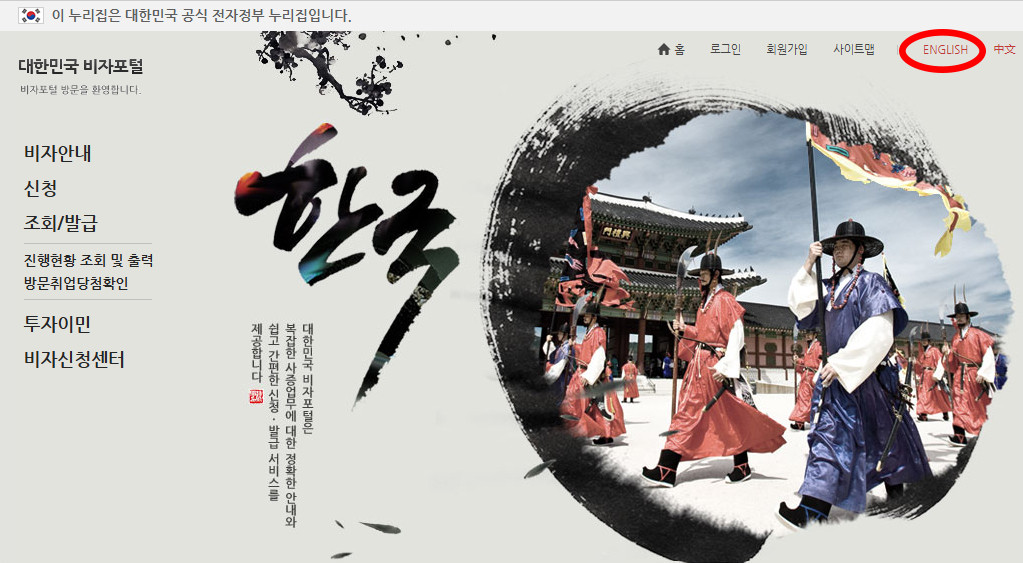
1. Go to the Korea Visa Portal site. Click the language option in the top right and select English.
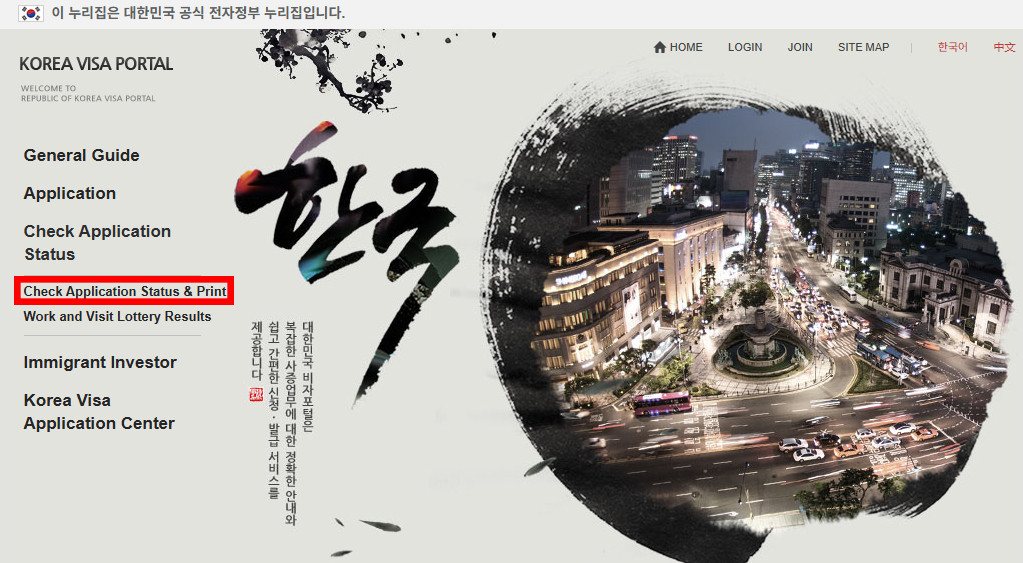
- On the left menu, hover over “Check Application Status” and click “Check Application Status & Print.”
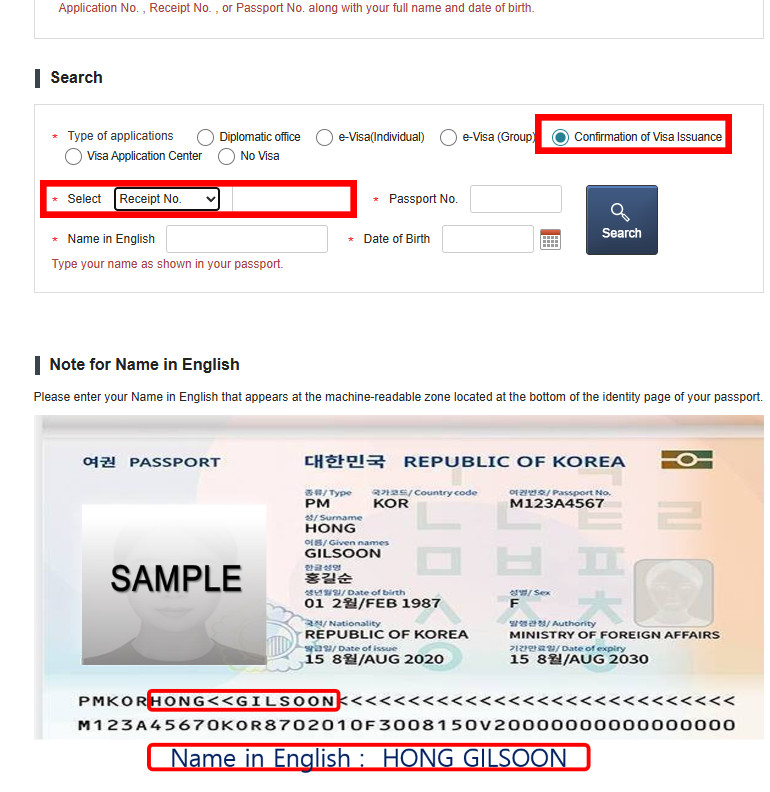
- You will be directed to a form page. For “Type of applications,” choose “Confirmation of Visa Issuance.” For “Select,” choose “Receipt No.” and enter the number we provided. Next, enter your passport number, your name in English (as it appears on your passport), and your date of birth.
- For your name, please make sure to follow this format: 1. Last Name 2. First Name 3. Middle Name(s)
- After clicking “Search,” you will see your application status, which includes your ”Confirmation Number.” This confirmation number is your CVI No., which you will need to proceed. You can also print your visa issuance certificate by clicking the button in the bottom right, "Print Visa issue certificate.
2. How to Print Your Visa Grant Notice
Please proceed with this step once your E-2-1 visa application is submitted and processed by your country's Korean consulate/embassy or KVAC (for the U.K.).
1. Go to the Korea Visa Portal site. Click the language option in the top right and select English.
2. On the left menu, hover over “Check Application Status” and click “Check Application Status & Print.”
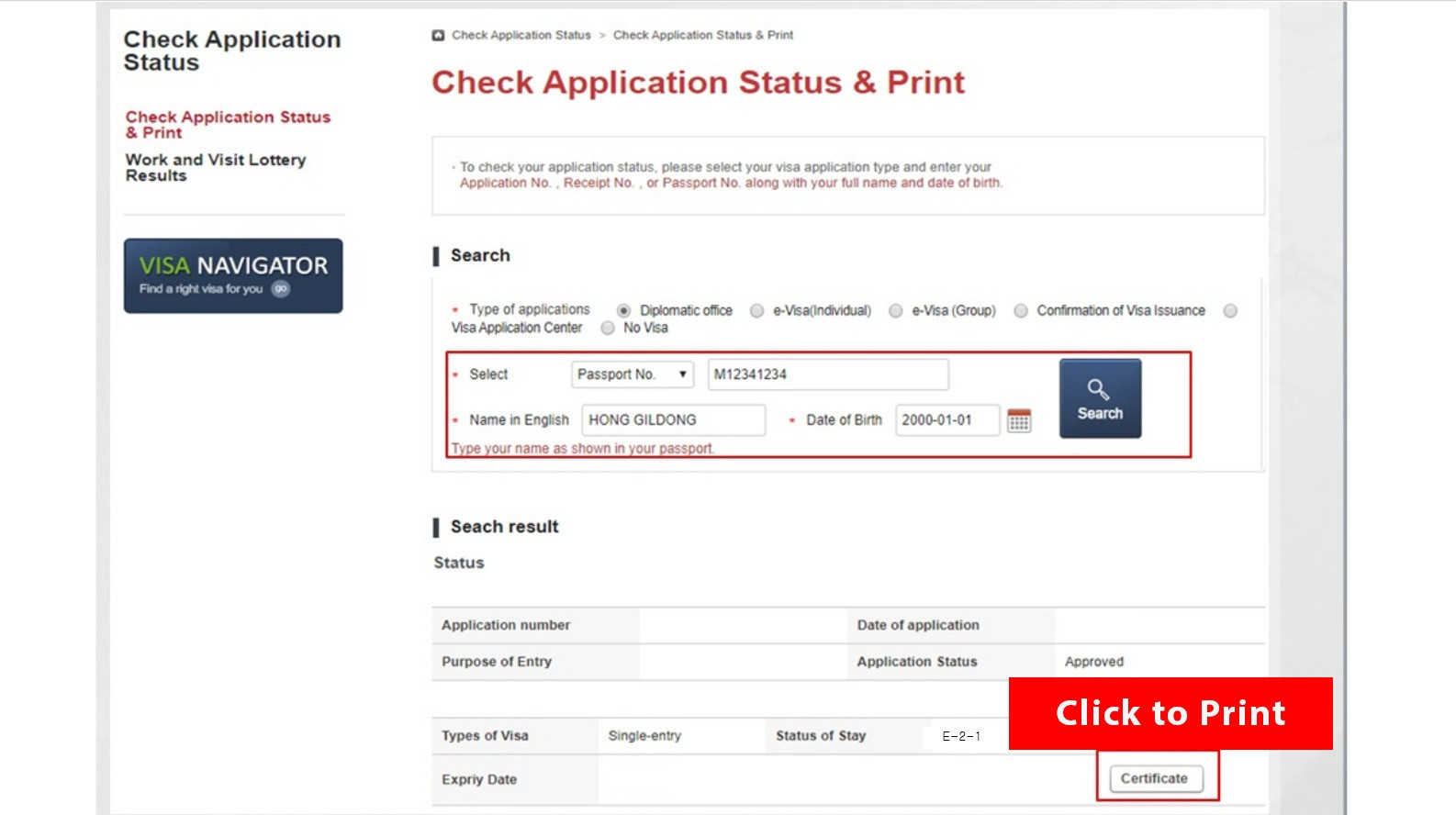
3. You will be redirected to a form page. For the Type of applications, choose “Diplomatic Office.” For Select, choose “Passport No.” and input your information. Enter your full name in English (as it appears in your passport) and your date of birth. After you fill out all required fields, click “Search.”
4. On your search results, you will be able to view details, such as your application number, the date of submission, your visa type, the status of your application, your length of stay, and your visa’s expiration date.
5. A ”Certificate” button is located at the bottom right of the page. Click this button to download and print your Visa Grant Notice. You must bring the printed “Visa Grant Notice” with you when entering Korea.
TAGS
Share

Embark Recruiting Blogs
Embark Recruiting
As former native English teachers in Korea, we know exactly what it’s like to navigate teaching abroad. That’s why we’re committed to increasing transparency in schools and improving Korea’s ESL teaching industry. At Embark Recruiting, we provide full support to help you succeed. Our blogs offer guidance, tips, and insider knowledge for teaching in Korea.